What is arkenfox user.js?
In the Before Times, mankind suffered ... but nowadays, together with a select few extensions, you will get most of the privacy possible with Firefox's built-in solutions: such as:
- HTTPS-Only Mode
- State Partitioning
- Network Partitioning
- Total Cookie Protection (dFPI / Dynamic First Party Isolation)
- Enhanced Cookie Clearing along with sanitizing1 on close
- Site Isolation (Fission)
- CRLite
- and many more
Basically it's a template of user.js which improves
the privacy, security, anti-fingerprinting on firefox.
The user.js file is a config file which firefox loads whenever starts.
Usually you edit this file via about:config.
Be aware that using it might make some websites not work due to added restrictions. If you don't want that much protection, maybe Betterfox is suited for you.
Setting up
First let's get user.js file and setup scripts.
git clone https://github.com/arkenfox/user.js
Go to about:profiles in firefox and select the profile which you want to apply the settings.
In my case, I created a new profile called test just for this.
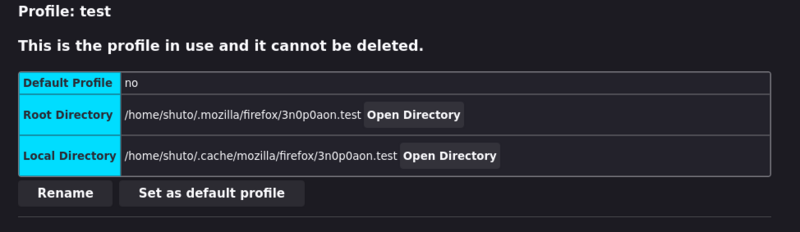
Open the Root Directory of the profile which you want to apply in your terminal.
I am using Linux and the directory looked something like this.
It might be different if you are using Mac or Windows.
cd /path/to/.mozilla/firefox/xxxxxxxx.your-profile-name
Copy the setup scripts from user.js to profile directory.
If you are using Windows, copy the .bat files to profile directory.
cp /path/to/user.js/*.sh .
Make sure to close all firefox windows. Or maybe run
killall firefox
Run the prefsCleaner script.
If it says user.js file not found, it's fine you can ignore that warning.
./prefsCleaner.sh
Finally run the updater script.
./updater.sh
Now if you open firefox with the selected profile, it would look something different.
Before...
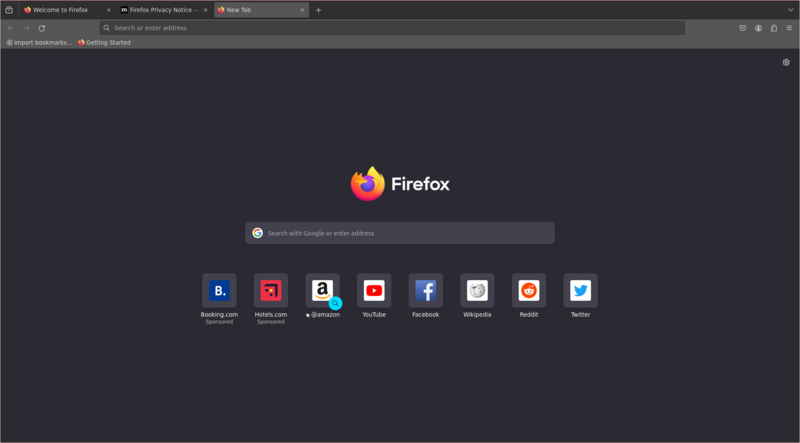
After...

You can see that the telemetry from Mozilla is disabled. Now you are able to use firefox with hardened configuration.
Adding user-override.js file
But what if you want to modify the settings?
You can do this by creating a file user-override.js which will be used to override the values.
Arkenfox v115.1+ makes approx 110 pref changes. With that, you will get some inconvenience and breakage. Everybody's mileage and threat model will differ
- EVERYONE will need some "overrides". You do this by keeping them in a separate user-overrides.js file in your profile folder, so updating doesn't wipe them but instead appends them (when you run the updater).
Create a new file user-overrides.js in the same directory of the profile.
This file will include the overrides to apply.
You have to run the updater script and it will read this file and append to user.js.
You can see my user-override.js file for example. I added some modifications like
- Disabling auto suggestions in search bar
- Disabling firefox accounts, pocket
- Re-enabling IPv6
- and more...
Make sure to close firefox windows which uses the same profile and
run the updater script to apply the changes.
After applying user.js, you can test how the browser is treated on https://www.deviceinfo.me. You can see more sites which you can test on wiki's appendix.